
Cohort 1.0  ·  20 Seats  ·  Applications Open
Agentic AI Fundamentals

Zero to Pro.

5 weeks. First principles. Real systems.

Ten live weekend sessions that take you from what a language model actually does, to an agent you have built, evaluated, deployed and can defend. No bluff. No hype.

5
Weeks
10
Live Sessions
2hr
Per Session
3mo
Support After
≤20
Cohort Size

Saturday & Sunday 90 min teaching + 30 min Q&A Every session recorded

Built different, by design.

Four principles that shape every session of this cohort — not marketing copy, but actual constraints on how it is run.

Pre-work is required, not optional

Environment, Python, API keys, editor, version control and one verified working model call — all done in the week before Week 1. Sessions do not pause for setup.

Four builds and a capstone

A workflow broken deliberately, an n8n automation wired to MCP, a chat assistant with a knowledge base, and an agent that fails safely. Then one complete deployed project.

Judgment, not just syntax

When you should not use an agent. When writing code is the wrong choice. Why RAG fails. Prompting that is not folklore. The parts most courses skip.

Support doesn't stop at Week 5

Three months of support after the cohort ends, including 12 mentoring sessions. The five weeks are the start, not the whole relationship.

Who this is for

Final-year students, freshers, junior developers and career switchers who can already write basic code in any language. The level runs from fundamentals to early-intermediate — no prior AI experience assumed.

What you need

  • A laptop and a stable internet connection
  • Basic programming ability in any language
  • A small budget for API credits, explained in the pre-work

What this does not cover

Stated plainly so nobody joins expecting the wrong thing.

  • Model training and fine-tuning
  • Distributed systems and microservices architecture
  • Production-scale MLOps and infrastructure
  • Deep dives into ColPali or advanced multimodal retrieval
  • Building lead-generation or content-automation businesses — introduced only, not taught

Five weeks, ten sessions.

Saturday and Sunday, 90 minutes of teaching and 30 minutes of Q&A. Each week builds on the last — foundations, tools, knowledge, reliability, then shipping.

Week 01

Foundations

Session 1

LLMs and How to Actually Use Them

  • What a language model is, at a working level
  • Tokens, context windows and temperature — what they change in practice
  • System instructions versus user input
  • Prompting that is not folklore: what actually affects output
  • Structured output, and why JSON matters more than clever wording
  • Grounding: giving the model the facts it needs
Session 2

Workflows versus Agents

  • The difference between a deterministic workflow and an agent
  • Anatomy of an agent: model, instructions, tools, loop, stop condition
  • When you should not use an agent
  • First look at cost and latency
Build · Session 2A working workflow, then broken deliberately to show where an agent earns its place.
Week 02

Tools and Connections

Session 3

Tools and Function Calling

  • What tool calling actually is under the hood
  • Writing tool schemas and descriptions the model can use
  • Calling real external APIs
  • Handling bad inputs, failed calls and retries
Session 4

MCP and n8n — Two Ways to Connect

  • What MCP is and the problem it solves
  • Clients, servers, and connecting to an existing MCP server
  • n8n introduction: nodes, triggers, credentials, runs
  • The same task built in code and in no-code
  • Judgment: when writing code is the wrong choice
Build · Session 4An n8n workflow connected with 2–3 tools and MCP, solving a real-world problem.
Week 03

Knowledge and Memory

Session 5

RAG Fundamentals

  • Why models need external knowledge
  • Chunking strategies, and why they matter more than they sound
  • Embeddings and vector databases
  • Supabase and pgvector as the storage layer
  • Retrieval, top-k and relevance
Session 6

Context Engineering and Memory

  • Managing the context window: what to keep, drop and summarise
  • Short-term versus long-term memory
  • Holding state across steps and sessions
  • Why RAG fails: weak chunking, poor retrieval, stale data

Optional advanced reading: ColPali and visual document retrieval.

Build · Session 6A chat assistant with a knowledge base that can call two tools and capture leads from the chat.
Week 04

Making It Work Reliably

Session 7

Loop and Harness Engineering

  • The agent loop: plan, act, observe, repeat — and how it terminates
  • The harness around the model: routing, retries, fallbacks, timeouts
  • Tool selection, and why agents pick the wrong tool
  • Multi-step and multi-agent basics
  • Where loops go wrong: infinite loops, runaway cost, silent failure
Session 8

Evals, Guardrails, PII and Failure Modes

  • How to tell whether your agent actually works
  • Building a small test set and evaluating against it
  • Guardrails: input validation, output validation, allowed actions
  • PII and data handling — what should never reach a model
  • Common failure modes and how to catch them early
  • Cost control, logging and basic observability
Build · Session 8An agent that fails safely.
Week 05

Ship and Career

Session 9

Deployment and Shipping

  • Secrets, environment variables and API key hygiene
  • Hosting options for small agent projects
  • Scheduled runs versus triggered runs
  • Monitoring, and tracking what things cost
  • Packaging your work: README, demo video, GitHub, portfolio link
Session 10

The Landscape and Your Next Step

  • Ecosystem tour, ~30 min: Hermes Agent, Openclaw, WhatsApp Business API and its real limitations, Twilio, Vapi, Apollo
  • Lead-generation and content-generation automation — how the pipelines work, conceptually
  • Consent, permission and spam rules: the part most people skip
  • Open source landscape and what is worth watching
  • AI roles today: what the jobs actually are, and what job descriptions ask for
  • Positioning your portfolio for interviews
Closing · Session 10Capstone brief and demo day details.

Two certificates. One is earned.

Finishing the five weeks gets you one. The other takes the full optional assessment track and the capstone.

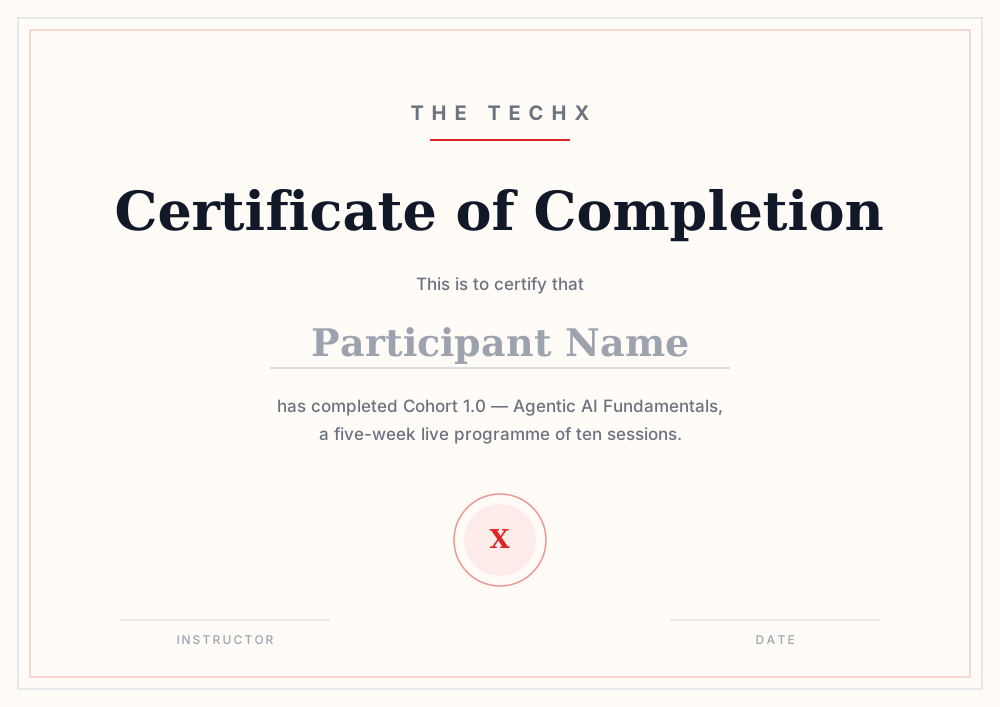
Preview of the completion certificate
Included

Completion Certificate

Awarded for completing the 5-week cohort — all ten live sessions, weekend format, teaching plus Q&A.

  • No assessments required
  • Issued to everyone who finishes the five weeks
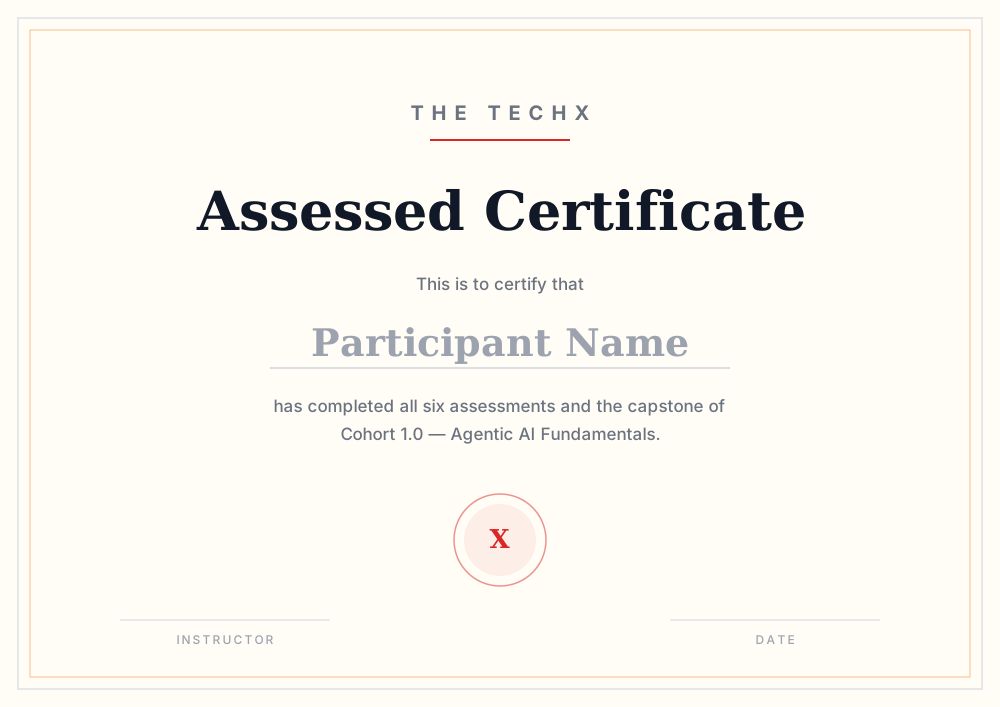
Preview of the assessed certificate
Earned

Assessed Certificate

Awarded for completing all six assessments plus the capstone. The assessment track is optional, runs on weekdays at intermediate level, and carries full support from The TechX.

  • The assessed certificate
  • Featured placement on the public cohort page, with project links

Who's teaching this.

One instructor across all ten sessions, the four builds and the assessment track — so nothing gets handed off halfway.

Instructor  ·  Cohort 1.0

Announcing soon

We are confirming who teaches Cohort 1.0. The full profile — background, credentials and what they have actually built — goes up here before applications close.

Published before applications close

Ready to make the ascent?

Twenty seats, first come, first served. Applications for Cohort 1.0 close on 4 October 2026.

  • Maximum 20 per cohort

    Small enough that everyone is known, every question gets a real answer, and the group actually gels.

  • First come, first served

    No interviews, no shortlisting. Seats go in the order applications arrive — when the twenty are gone, they're gone.

  • Every session recorded

    Live on the weekend, recording after. Missing a Saturday doesn't mean missing the week.

  • Three months of support after

    Twelve mentoring sessions once the cohort ends — for the capstone, the portfolio, and the interviews that follow.

Applications open Closes Sun, 4 Oct 2026 · 11:59 PM IST
--days
:
--hrs
:
--min
:
--sec
Apply for a seat
Takes 2 minutes. We'll follow up within 48 hours.

Application received.

We'll review it and follow up within 48 hours. Keep an eye on your inbox.